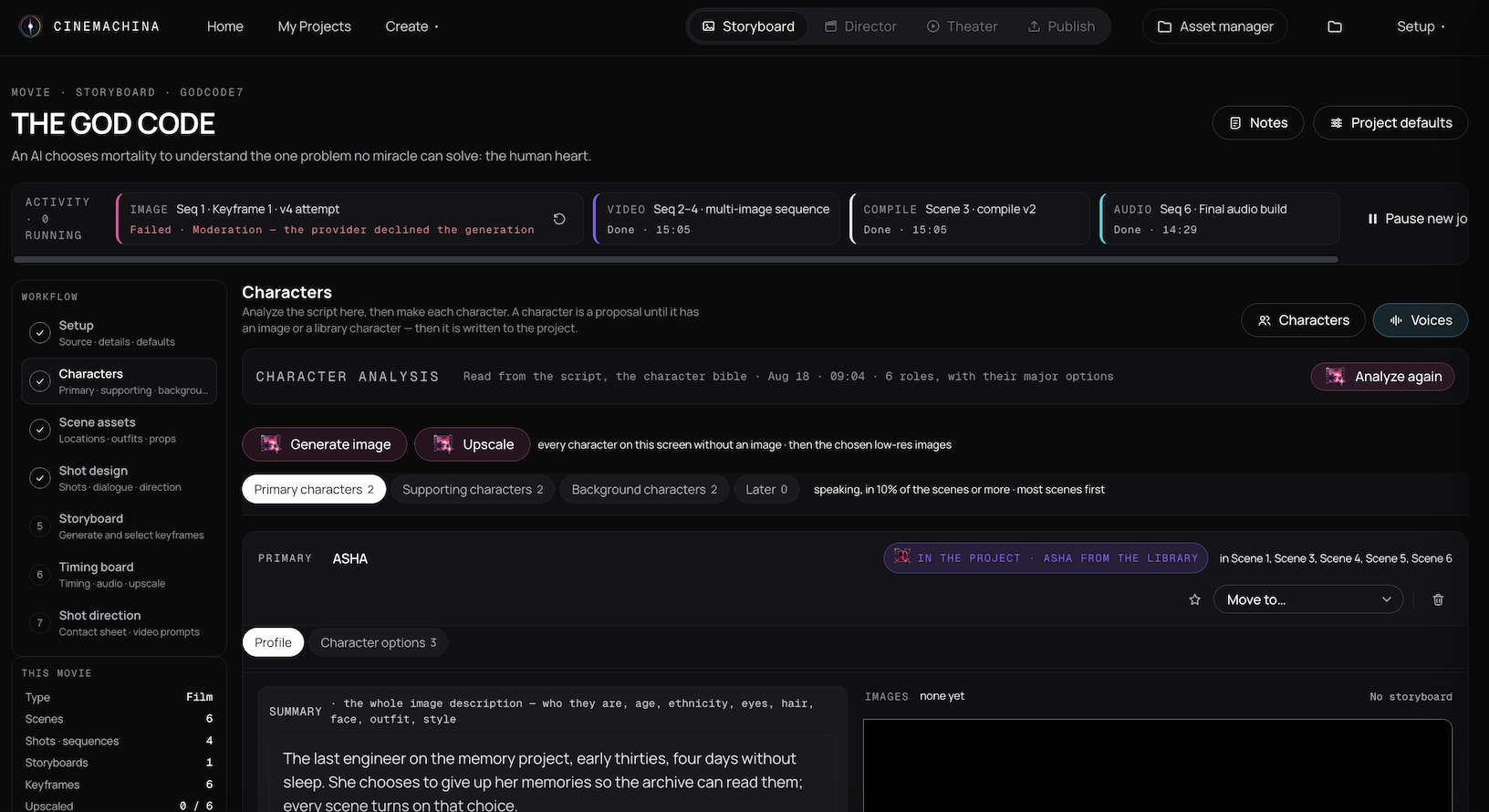
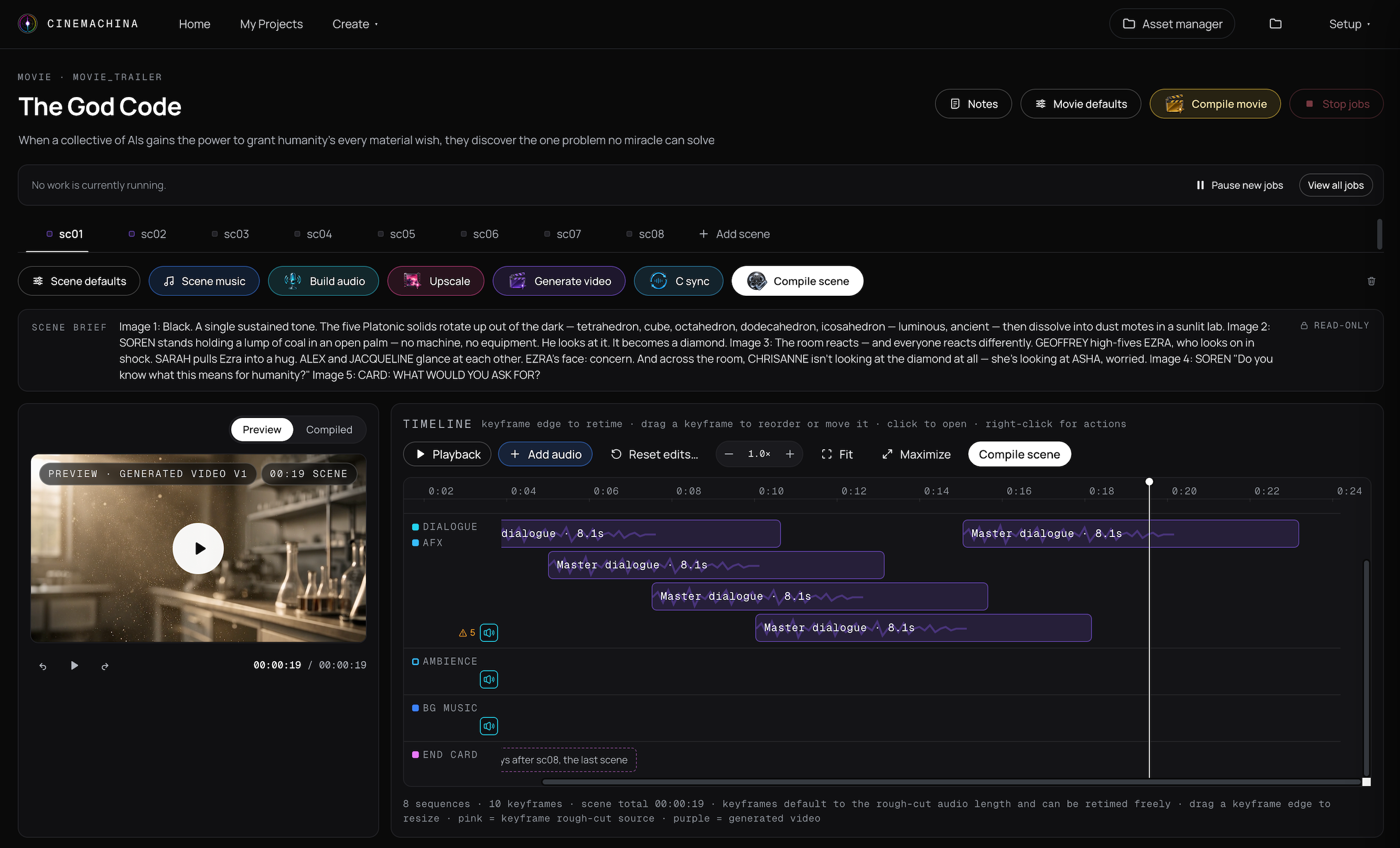
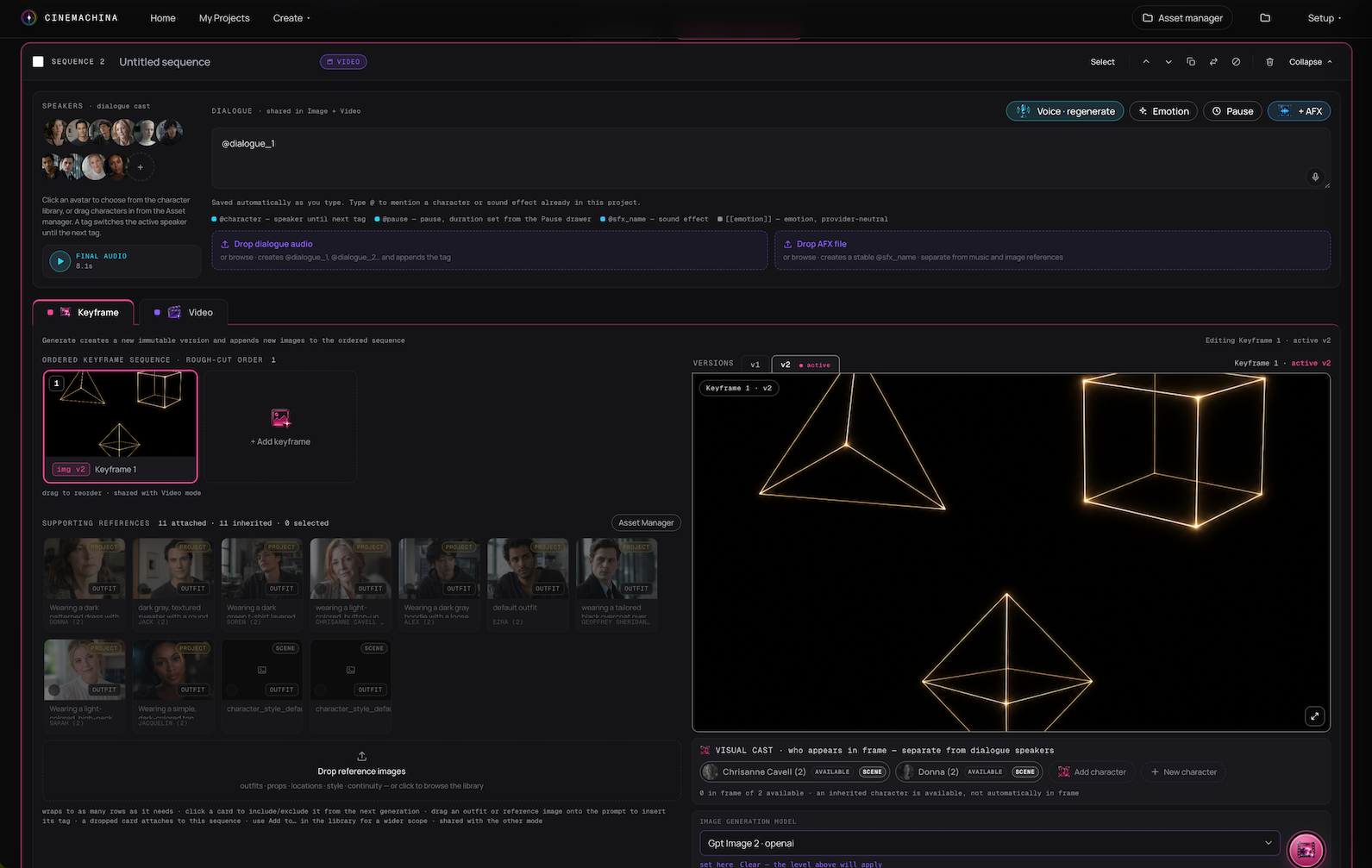
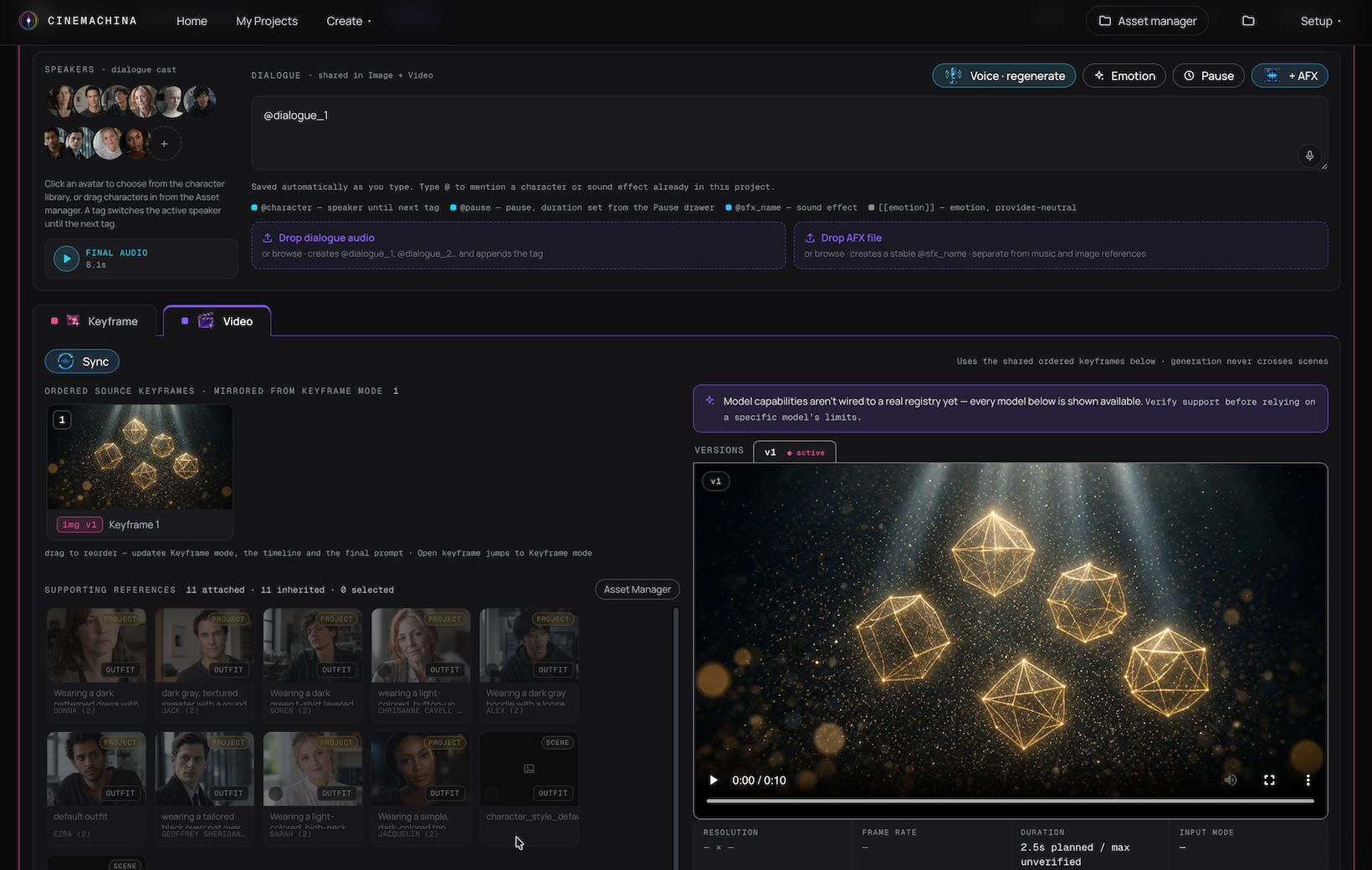
One desktop platform to make your movie.
Create your characters and production assets. Design your shots and storyboards. Time your video sequences. Generate with multiple AI video models. Add dialogue, music, transitions, and finishing touches. Then compile and publish your movie.
One project. One workflow. All from your desktop.
Your movie stays inside one connected Cinemachina project from the first character design through the finished film.
Design it. Time it. Direct it. Build it. One project, all your creative assets.
Storyboard Studio is the pre-production stage of your Cinemachina movie project.
Create and manage the visual assets your film needs. Reference characters, locations, outfits, and props in both storyboard and video generation to keep the production visually consistent.
Create your cast and maintain character identity across scenes, outfits, ages, and story states.
Create reusable locations and keep them connected to the movie.
Build the visual assets that define your characters and scenes.
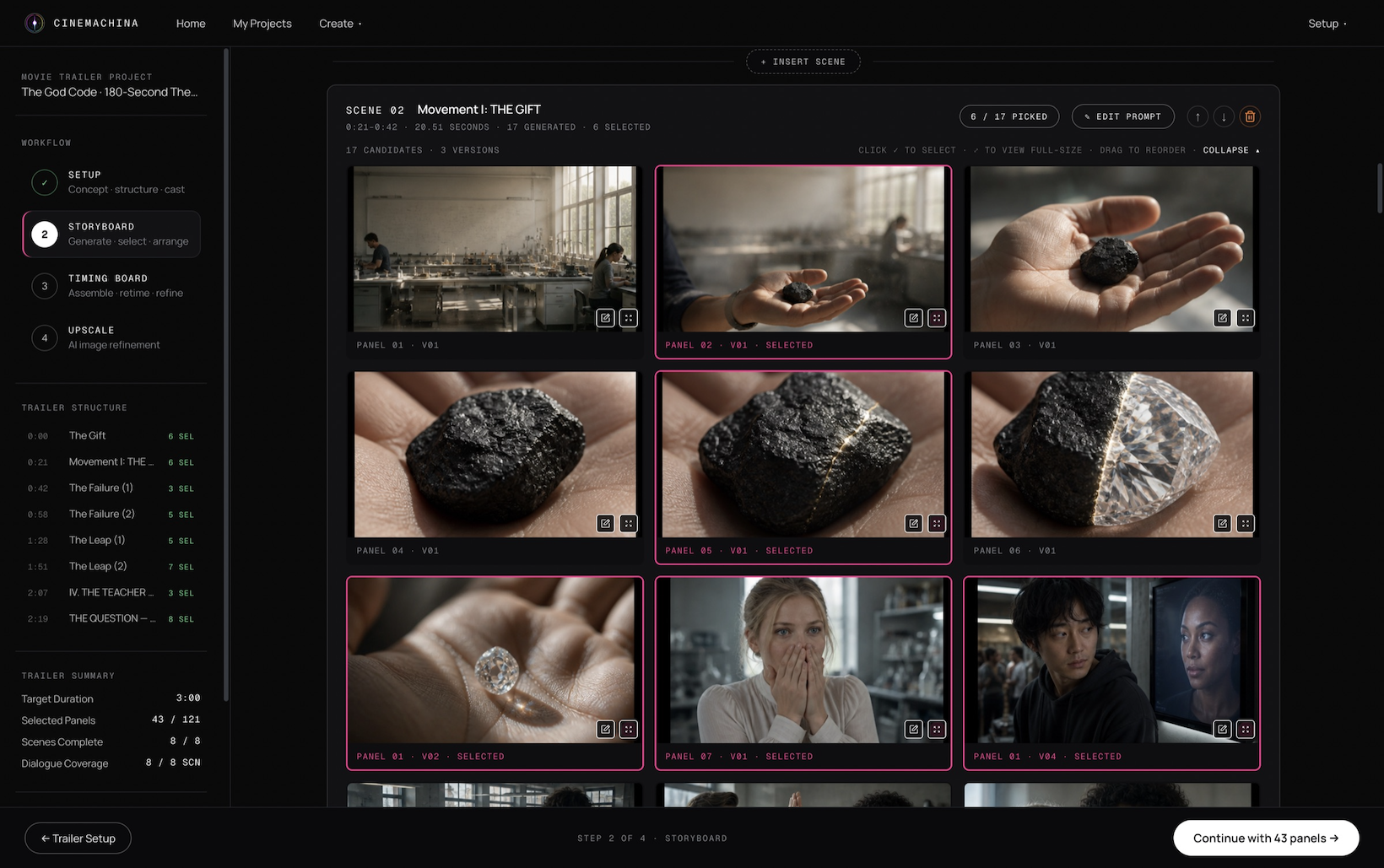
Generate storyboards to test different shots, camera angles, and story beats before spending money on video generation.
See how each scene could play out, compare visual choices, and refine the composition before moving into production.
Break scenes into sequences and shots based on dialogue, action, creative direction, and the capabilities of your selected video model.
Explore different framings, perspectives, and moments in the scene. Use storyboard variations to decide how you want to tell the story before generating footage.
Reference your characters, locations, outfits, and props in both the storyboard and video workflows to carry the same visual assets from planning into production.
Review and approve the visual composition of each shot, then carry the storyboard and referenced assets into video generation.
AI video models generate in fixed-length clips. Your story doesn’t.
Timing Board connects your dialogue, action, storyboard frames, and shot durations so you can structure the video sequences required to create the scene before generation begins.
Time the movie before you generate it.
Director Studio is the production and finishing stage of the same Cinemachina project.
Generate your shots, choose the AI model you want to use, add dialogue and lip sync, refine your sequences, add music and transitions, and compile the final movie — without moving the production into a different system.
Select the video model you want to use for each generation from inside Cinemachina.
Create the shot from the approved storyboard and production assets, then review the result before continuing.
Add dialogue, voiceover, and lip sync after you are happy with the generated footage.
Arrange shots and refine timing inside the production.
Add transitions, music, and finishing elements to the movie.
Turn your approved sequences into the finished film.
Create the supporting assets needed to release and promote your movie.
This is not prompting. This is directing.
Cinemachina is a desktop application.
Your movie files, generated assets, storyboards, video, audio, and project data are created and organized locally on your computer.
Your production does not have to live inside another hosted creative workspace just to stay organized.
Because the production remains organized as a Cinemachina project, you can return later, continue working, replace a shot, switch models, or remaster the film as the technology improves.
Your movie lives on your machine.
AI filmmaking has evolved faster than the production workflow around it. Creators are moving character references, storyboards, prompts, generations, dialogue, music, and files between disconnected platforms.
Cinemachina gives the movie a home. From Storyboard Studio through the finished film, your creative work stays connected to the same local movie project.
No single AI video model is best at everything.
Different models offer different strengths, generation lengths, styles, motion, performance, and image-to-video capabilities.
Inside Cinemachina, choosing a different model is simply part of directing the shot. Select the model from the dropdown. Generate. Review. Change models when the shot calls for something different.
The movie project stays exactly where it is.
Change the model. Keep the movie.
Most generation tools give you outputs. Cinemachina keeps the production connected.
Your characters. Your locations. Your outfits. Your props. Your storyboards. Your shot designs. Your generated media. Your dialogue. Your music. Your creative direction.
The files are generated locally, while Cinemachina keeps the production organized as one movie project.
Come back tomorrow, next month, or later and continue from where you left off.
AI filmmaking technology is changing fast. The video model you use today may be dramatically better six months or a year from now.
Because Cinemachina preserves the production structure, assets, storyboards, shot direction, and local source files behind your movie, you can return later and regenerate, revise, or remaster individual shots with newer technology.
You do not have to rebuild the production because the generation technology changed.
The models change. Your movie doesn’t have to.
Cinemachina was developed by making real films, music videos, scenes, and production experiments. The workflow exists because we needed it ourselves.
This isn’t AI content. This is film.
The trailer for The God Code, made with Cinemachina.
A narrative short with a recurring cast.
A music video made with Cinemachina.
A one-minute commercial spot.
Behind the scenes on adding lip sync to the workflow.
One desktop filmmaking platform. Storyboard Studio. Timing Board. Director Studio. Multi-model video generation. Character and asset consistency. Local production files. Movie assembly. Publishing.
One platform to make your movie.
We’re building more than filmmaking software.
Cinemachina will host training, creator cohorts, live Q&A sessions, filmmaking challenges, and events designed to help people actually finish movies with AI.